Account Setup
Access to API endpoints requires a verified account. We provide flexible registration options (Email, Google, Discord) to speed up your integration process.
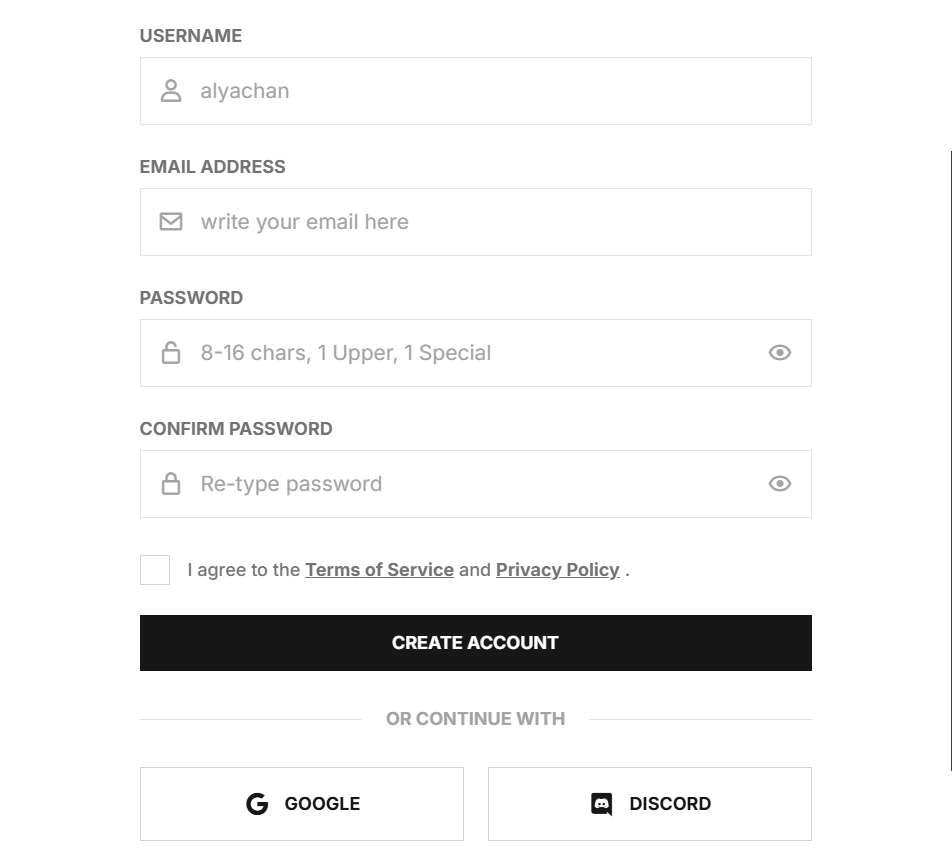
Complete guide to integrating Alyachan API services. Access AI endpoints, media downloaders, and data utilities with secure and scalable RESTful standards.
Access to API endpoints requires a verified account. We provide flexible registration options (Email, Google, Discord) to speed up your integration process.
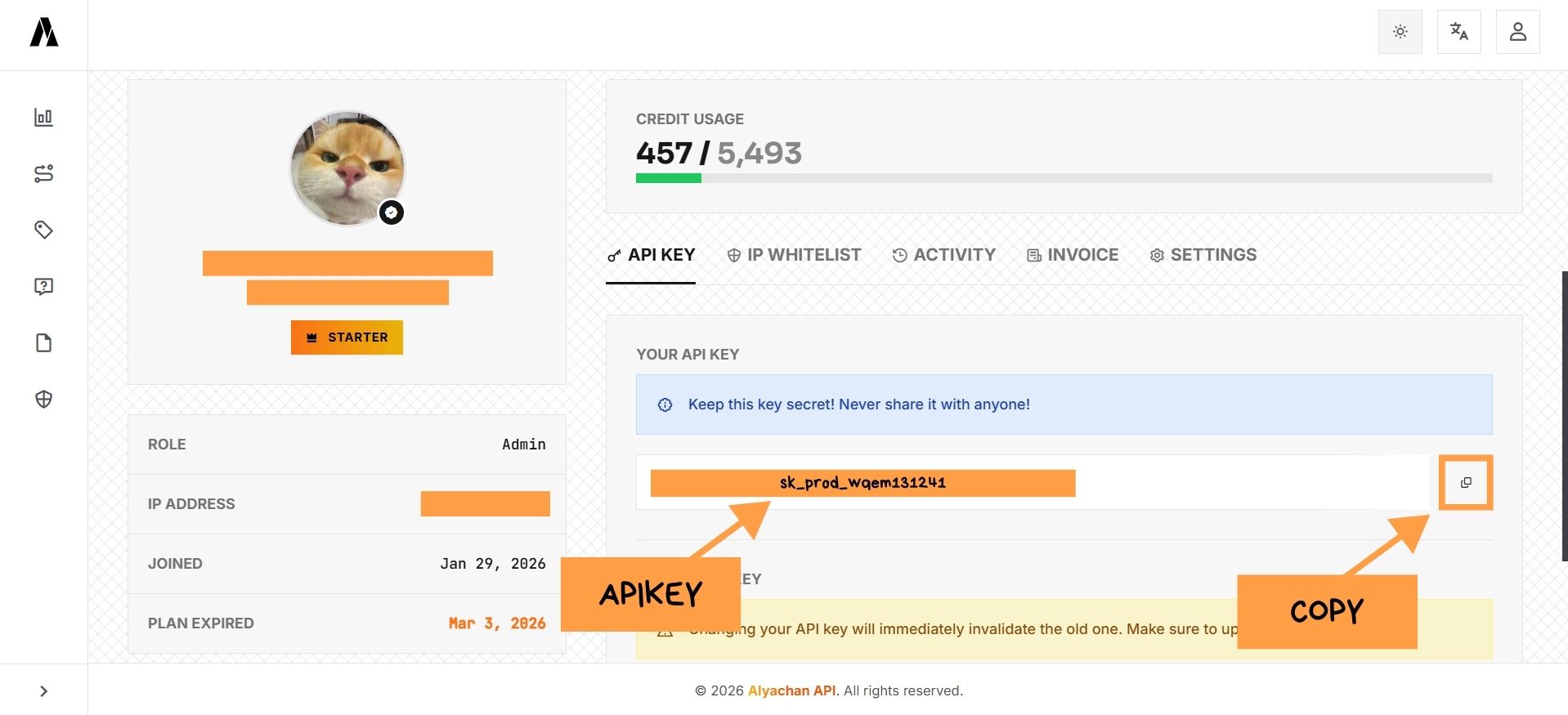
After logging in, navigate to the Account Dashboard on the "API KEY" tab. This key is your application's secret credential.
◦ To retrieve your API Key, please press the "Copy" button
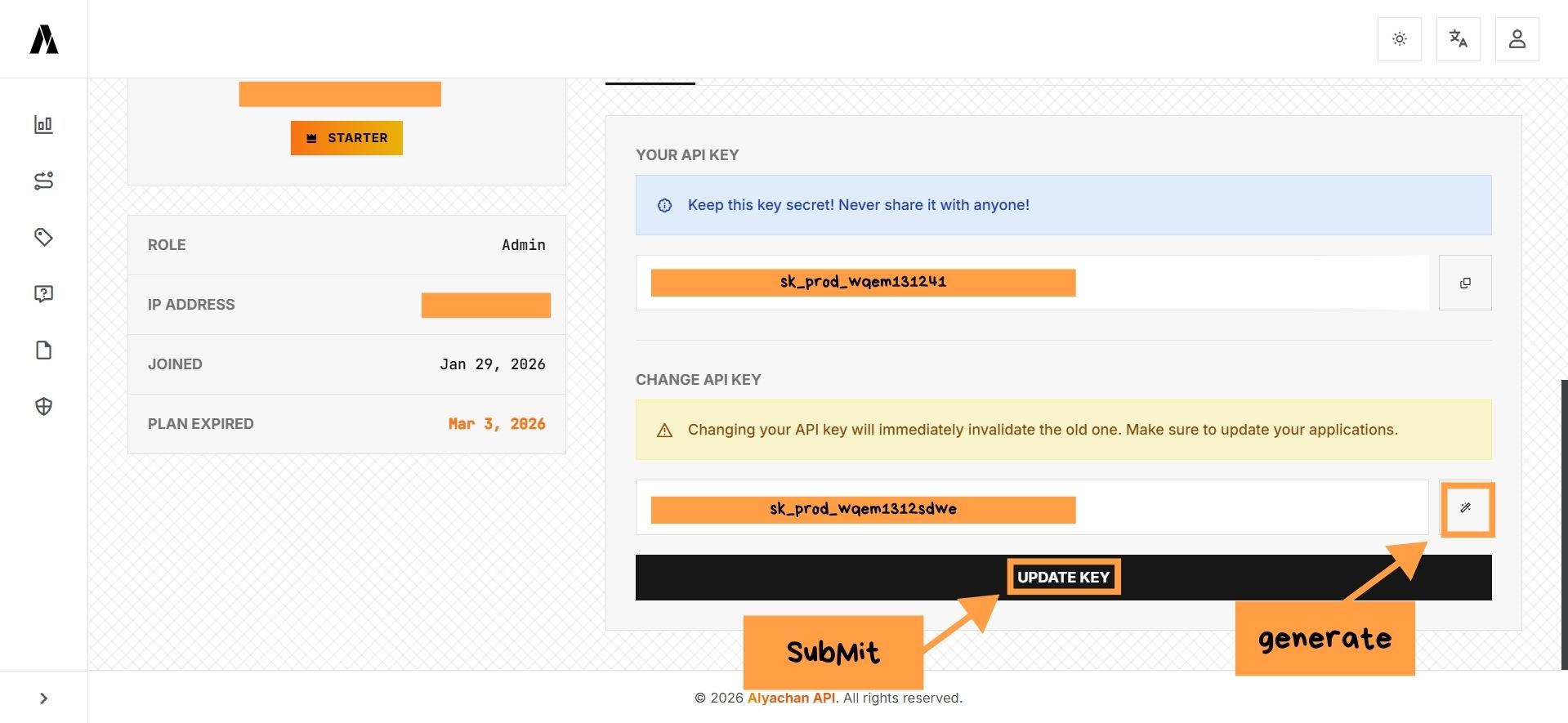
◦ To change your API Key, please press the "Generate Key" button followed by the "Update Key" button
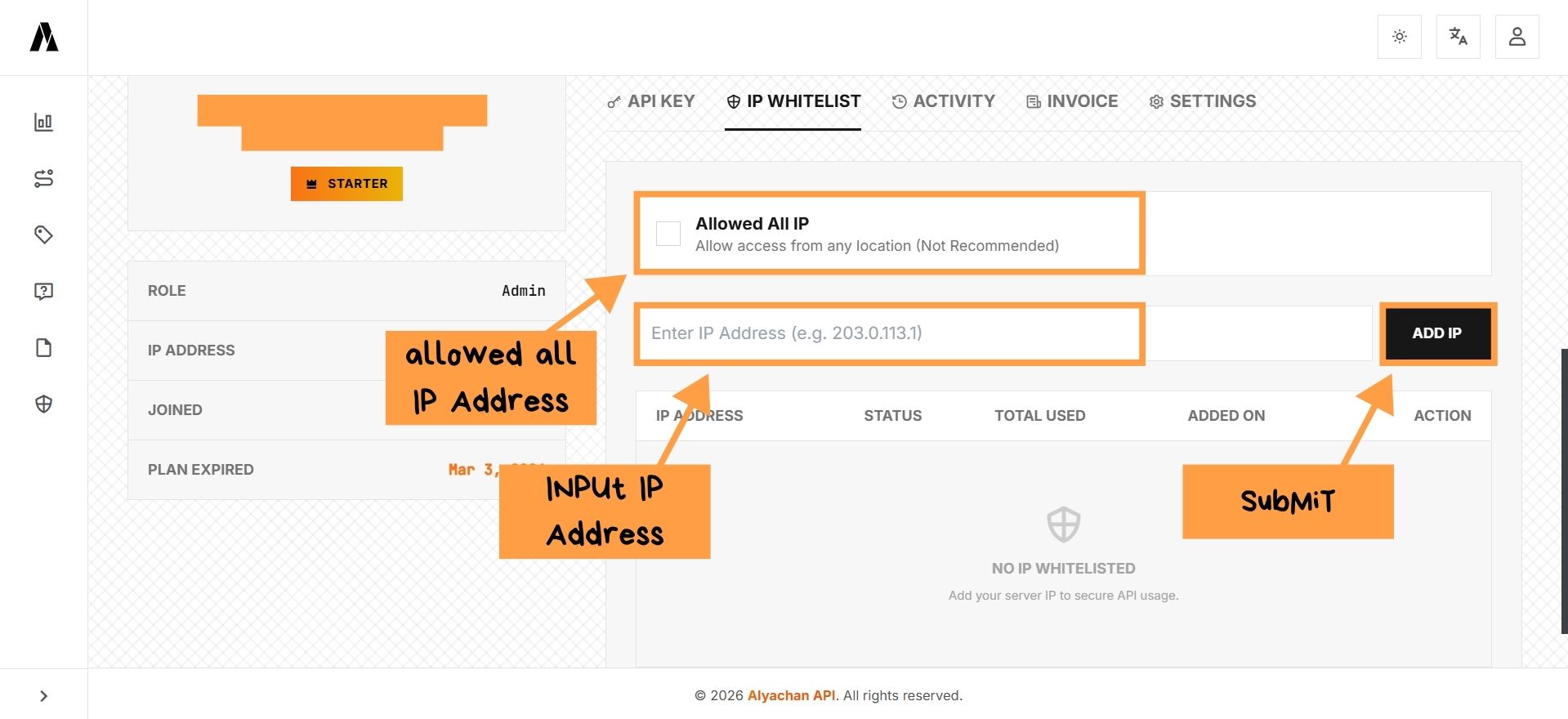
Security feature to restrict API Key access only from registered server IP addresses. You must set up IP before using your API Key
npm install @alyachan/apinpm install axiosTo get / search for endpoints, please visit the API Reference
Main server : https://api.alyachan.dev
Reserve server :
const AlyaApi = require('@alyachan/api').default
const Api = AlyaApi('https://api.alyachan.dev/api', 'sk_prod_xxxxxxxx')

async function main() {
  try {
    const res = await Api.post('/ai/text2img', {
      'prompt': 'Cyberpunk city',
      'models': 'Japanese'
    })
    console.log(res)
  } catch (e) {
    console.error(e)
  }
}
const axios = require('axios')

const config = {
  'method': 'POST',
  'url': 'https://api.alyachan.dev/api/ai/text2img',
  'headers': {
    'Authorization': 'Bearer sk_prod_xxxxxxxx',
    'Content-Type': 'application/json'
  },
  'data': { 'prompt': 'Cyberpunk city', 'models': 'Japanese' }
}

axios(config)
  .then(r => console.log(r.data))
  .catch(e => console.error(e))
| Code | Meaning | Description |
|---|---|---|
| 200 | OK | Request successfully processed. |
| 400 | Bad Request | Input parameters are incorrect or missing. |
| 401 | Unauthorized | Invalid API Key or not provided. |
| 429 | Rate Limit | Daily request limit exceeded. |